Project Workflow Bundle
A practical digital productivity bundle combining weekly planning, project tracking, monthly organization, and content-calendar templates in one downloadable package. Designed for individuals, freelancers, and small teams who need a simple organizational system. Instant digital delivery. No physical item will be shipped.
- Everything in the Weekly Focus Planner
- Editable project-tracking spreadsheet (XLSX)
- Monthly overview and 12-week project timeline
- Editable content calendar (XLSX)
- Reusable weekly task-management checklist
- PDF setup guide for every file
What's inside
1. The complete Weekly Focus Planner
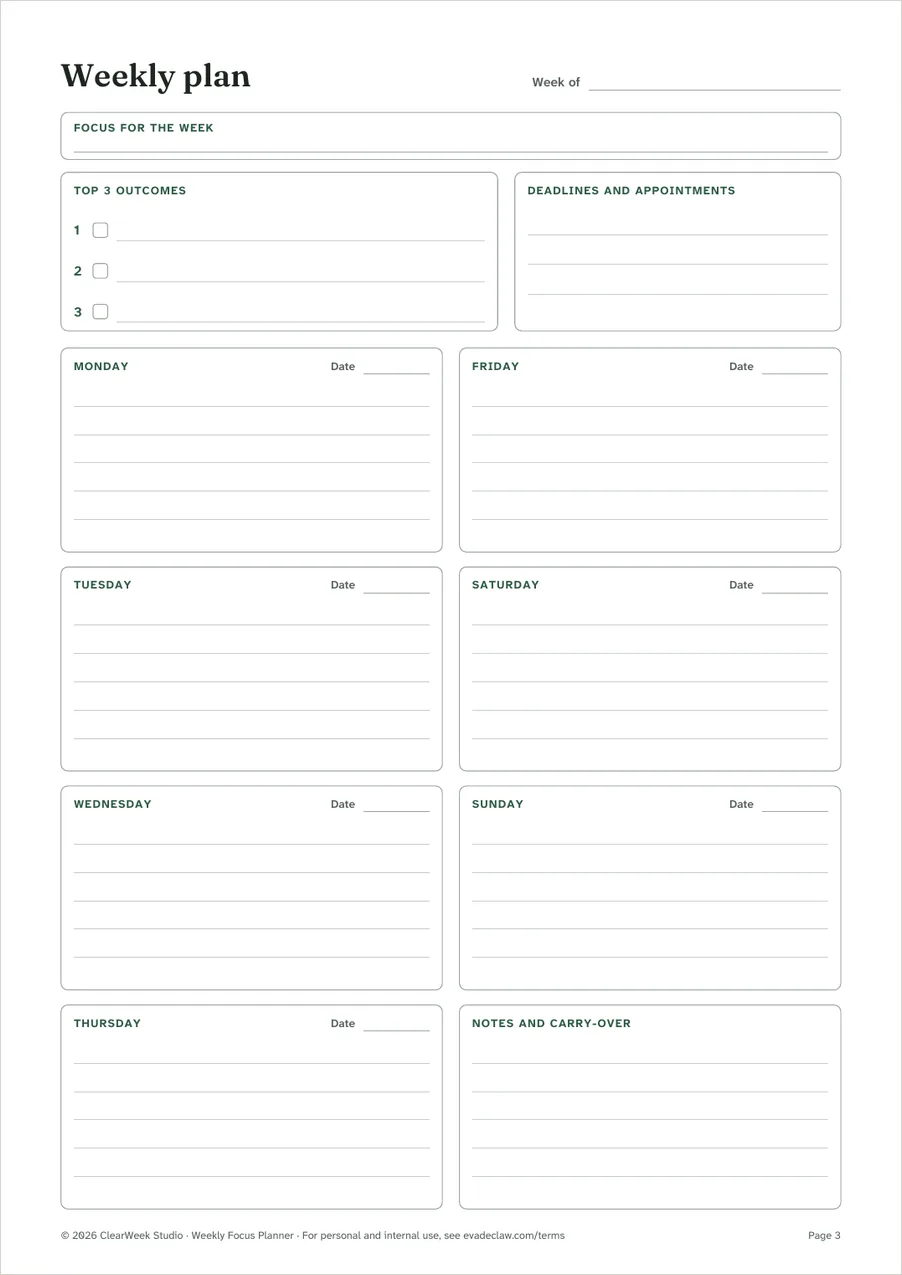
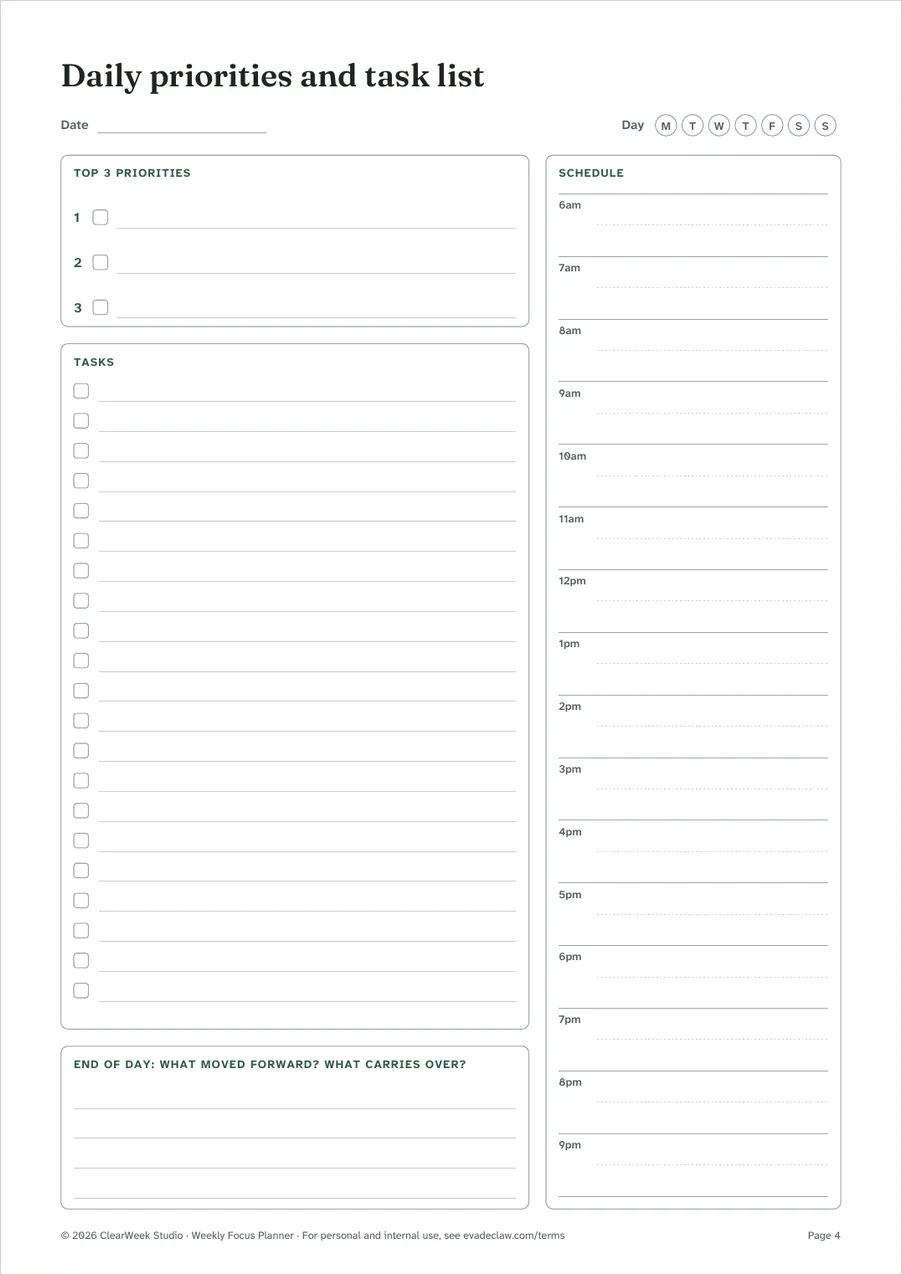
The same 7-page undated planner sold on its own, in A4 and US Letter: weekly plan, daily priorities and task list, habit tracker, weekly review, notes, and printing instructions. See the planner's pages.
2. Project tracker spreadsheet
ClearWeek-Project-Tracker.xlsx
- Start here
- Short instructions inside the file.
- Projects
- Up to 30 projects with owner, status, priority, start and due dates. Calculates task counts, progress, days left and a health flag (on track, due soon, overdue, done).
- Tasks
- Up to 300 tasks, each linked to a project from a drop-down list, with owner, status, priority, dates and an overdue flag.
- Timeline
- A 26-week bar chart built from each project's start and due dates. The current week is shaded.
- Monthly overview
- A calendar for any month showing open tasks due each day and the first project due, plus monthly counts.
- Weekly checklist
- The 15-step weekly routine with a column per week to tick off.
- Lists
- The options in the drop-down lists. Add your team's names here.
3. Content calendar spreadsheet
ClearWeek-Content-Calendar.xlsx
- Start here
- Short instructions inside the file.
- Calendar
- Up to 400 planned items with publish date, channel, title, format, status, owner, draft due date and link. Flags past dates, late drafts and items due within 3 days.
- Month view
- A calendar for any month showing what's planned each day.
- Ideas
- A list for ideas that don't have a date yet.
- Lists
- Channels, formats, statuses and people for the drop-down lists.
4. Project printables
A PDF in A4 and US Letter with three pages to print:
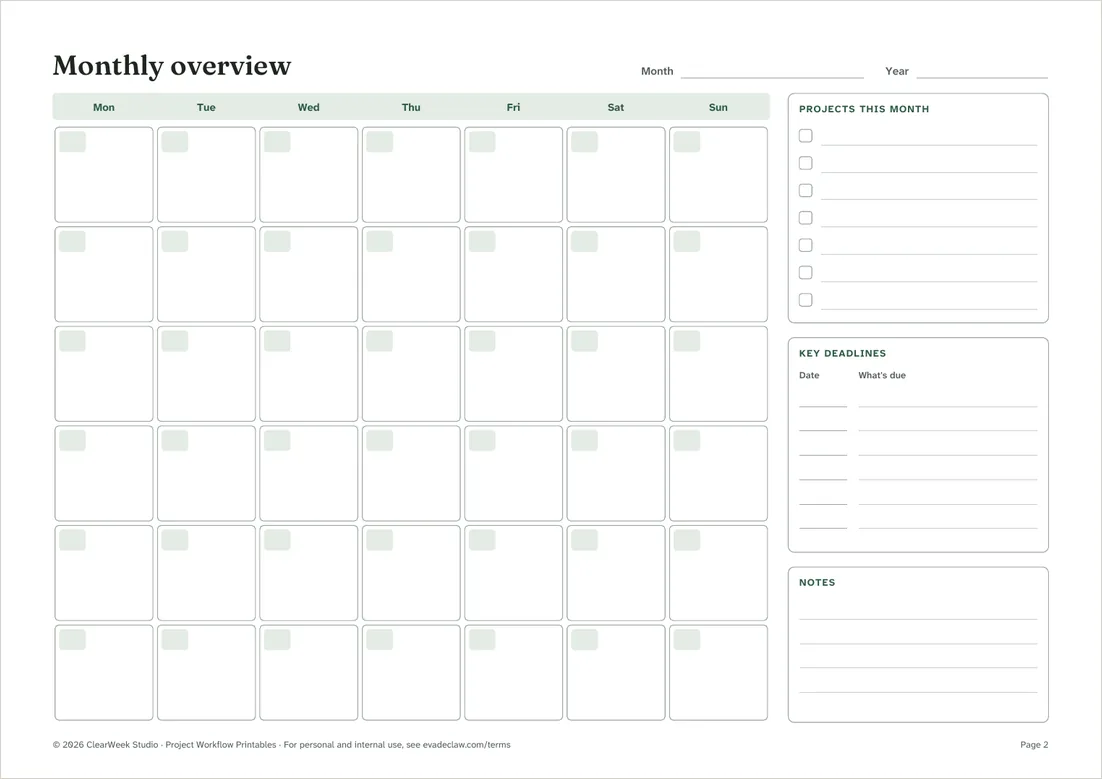
- Monthly overview
- An undated month grid with space for the month's projects, key deadlines and notes. Landscape.
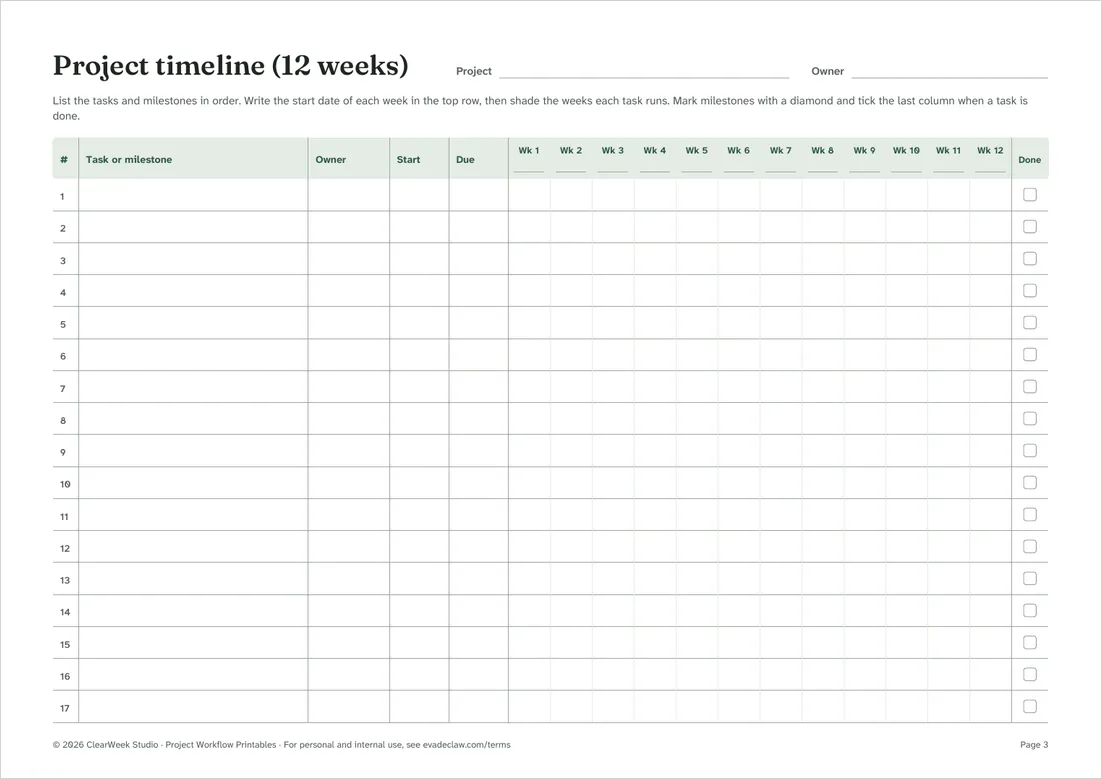
- Project timeline (12 weeks)
- Rows for tasks and milestones with owner, start and due dates, and 12 week columns to shade in. Landscape.
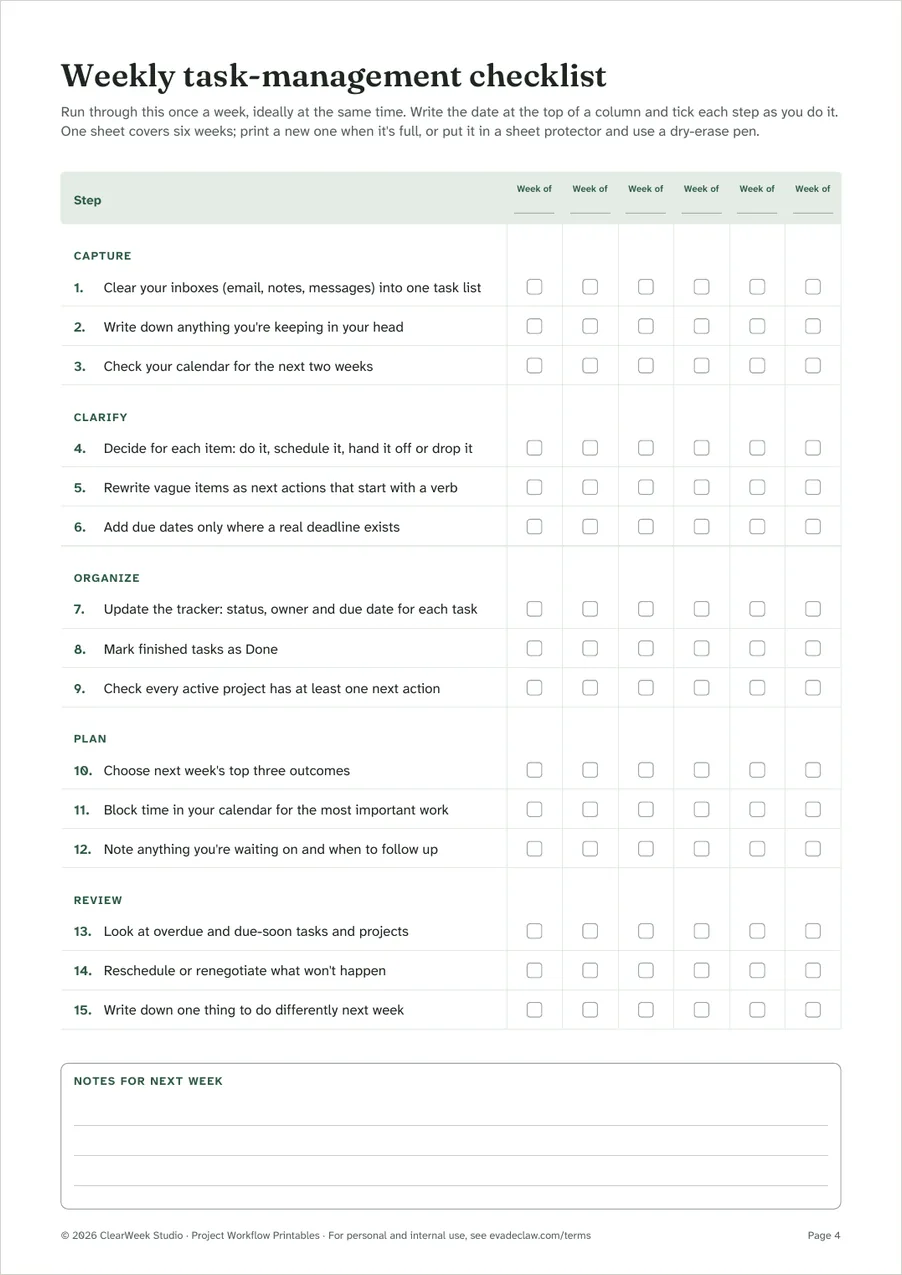
- Weekly task-management checklist
- Fifteen steps in five groups (capture, clarify, organize, plan, review) with tick boxes for six weeks, so one printout lasts six weeks.
5. Setup guide
A short PDF that explains every file, which apps to use, how the formulas and drop-down lists work, and what to do if something looks wrong.
In the spreadsheets, white cells are for typing, grey cells calculate on their own, and yellow cells are settings such as the month to show. You don't need to know formulas to use them.
Files you'll receive
| File | Type | Contents |
|---|---|---|
| ClearWeek-Weekly-Focus-Planner-A4.pdf | The complete Weekly Focus Planner, A4 | |
| ClearWeek-Weekly-Focus-Planner-US-Letter.pdf | The complete Weekly Focus Planner, US Letter | |
| ClearWeek-Project-Printables-A4.pdf | Monthly overview, 12-week project timeline and weekly checklist, A4 | |
| ClearWeek-Project-Printables-US-Letter.pdf | The same printables, US Letter | |
| ClearWeek-Project-Tracker.xlsx | XLSX | Projects, tasks, timeline, monthly overview and weekly checklist |
| ClearWeek-Content-Calendar.xlsx | XLSX | Content calendar, month view and ideas list |
| ClearWeek-Bundle-Setup-Guide.pdf | How each file works, which apps to use, troubleshooting |
Download the files one by one, or all together as a single ZIP file.
Software you'll need
| App | Editing and formulas | Drop-down lists | Highlights and timeline bars |
|---|---|---|---|
| Microsoft Excel 2016 or later, Microsoft 365, Excel for the web | Yes | Yes | Yes |
| Google Sheets | Yes, after File › Save as Google Sheets | Yes | Yes |
| LibreOffice Calc 7 or later (free) | Yes | Yes | Yes |
| Apple Numbers | Yes | May need recreating as pop-up menus | No: Numbers doesn't support these color rules |
- The spreadsheets contain no macros, scripts or add-ins.
- Phone and tablet spreadsheet apps can open the files, but the timeline and month views are hard to use on a small screen.
- The PDFs open in any PDF reader, including the one built into your web browser.
Is it right for you?
A good fit if…
- Freelancers juggling several clients or projects at once.
- Small teams that want one shared tracker without paying for project-management software.
- Anyone planning a regular newsletter, blog or social media schedule.
Probably not if…
- Teams that need real-time collaboration, permissions or automatic reminders. A dedicated project-management app will suit you better.
- People who only want to plan their own week on paper. The Weekly Focus Planner on its own costs less.
License, delivery and refunds
The bundle includes the complete Weekly Focus Planner, so there's no need to buy both.
License. Use the files for yourself and for internal work in your own business or organization. Please don't share the blank templates outside it, resell them or publish them. The full license is in the Terms and Conditions.
Delivery. After your payment is confirmed you'll see a download page, and we'll email you a link that works for 14 days. See the delivery details.
Refunds. If a file is faulty or not as described, we'll fix it or refund you. If you haven't downloaded anything, you can ask for a full refund within 14 days. Read the Delivery and Refund Policy.
No promises we can't keep. These are organizing templates. They don't guarantee any productivity, business or financial result, and they aren't professional advice.
Questions before you buy? Email support@evadeclaw.com or call +1 (417) 354-2273.
Questions
What's the difference between the planner and the bundle?
The bundle includes the whole planner, then adds tools for managing projects and a publishing schedule: the project tracker and content calendar spreadsheets, the printables and a setup guide. You don't need to buy both.
If you mainly want to plan your own week on paper, the planner is enough. If you also track projects, deadlines or content, the bundle covers that too. If you buy the planner and later want the bundle, the bundle is a separate purchase at its normal price.
Which apps open the spreadsheets?
Microsoft Excel 2016 or later, Microsoft 365, Excel for the web, Google Sheets and LibreOffice Calc 7 or later all support every feature. Apple Numbers opens the files and keeps the formulas, but it doesn't support the color rules, so the overdue highlights and timeline bars won't show. The files contain no macros.
Can I use the templates for work, or with my team?
Yes. You can use them for yourself and for internal work in your own business or organization, including by the people who work there. You can also share filled-in copies, such as a project plan you send to a client. See the license in our Terms and Conditions.
How and when do I get my files?
As soon as your payment is confirmed, which normally takes a few seconds, you'll see a download page, and we'll email you a download link and an order confirmation. Stripe emails your payment receipt separately. Nothing is shipped.
Can I get a refund?
Yes, in these cases:
- a file is faulty, won't open, is incomplete or isn't as described, and we can't fix it;
- you were charged twice or charged the wrong amount;
- you haven't downloaded any file yet and ask within 14 days of buying, for any reason.
Once you've downloaded the files, we don't refund a simple change of mind, because the files can't be returned. This never limits your legal rights. The Delivery and Refund Policy has the details.